For years, IPTV players have been remarkably good at one thing: opening streams.
But that is no longer enough.
When a library contains hundreds of live channels, thousands of movies and series, multiple IPTV sources, program guides, favorites and different household profiles, the challenge is no longer simply playing video.

The real challenge is managing the viewing experience.
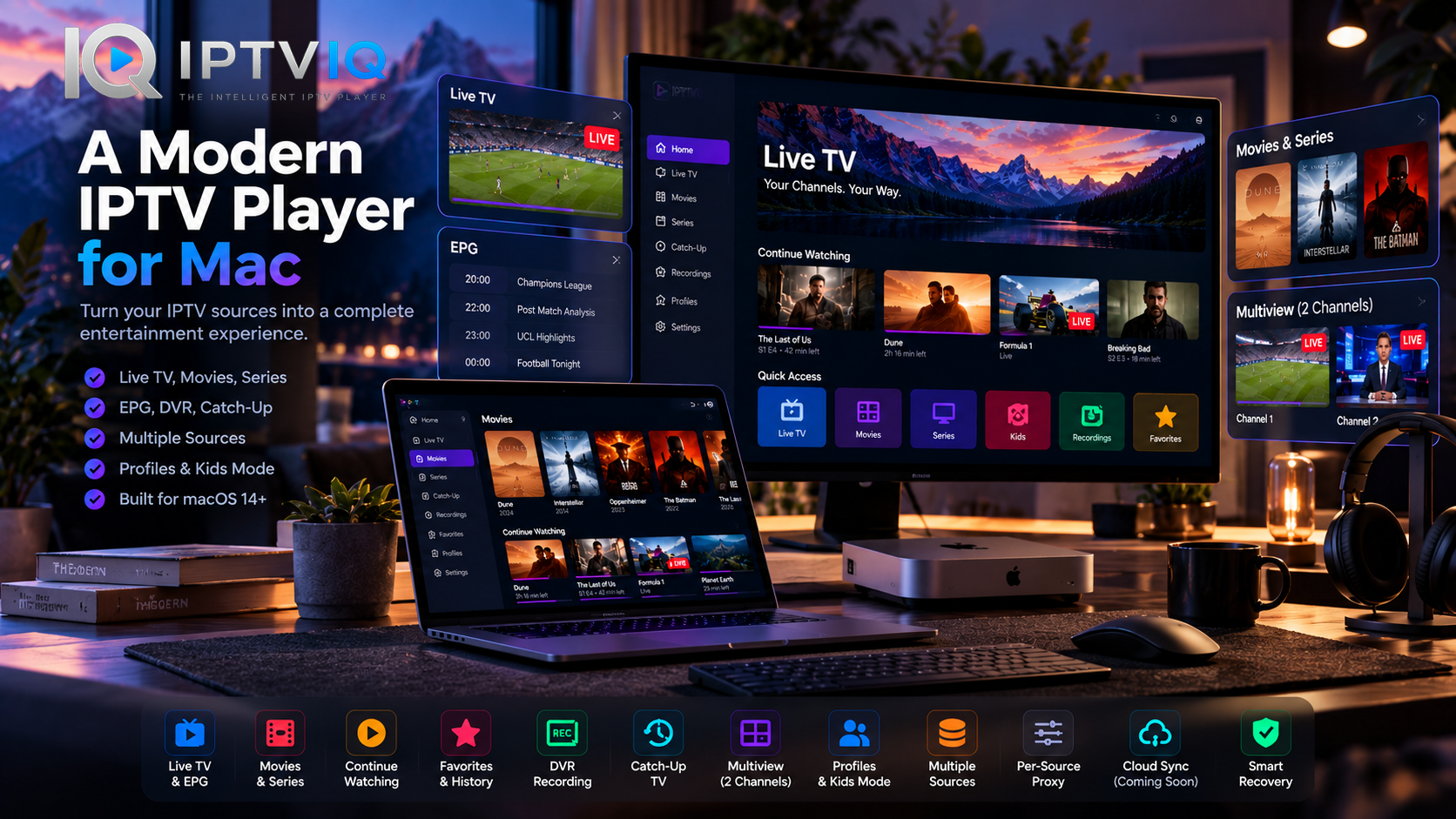
That is the idea behind IPTVIQ, a modern IPTV player for macOS designed to turn compatible IPTV sources into an organized entertainment environment.
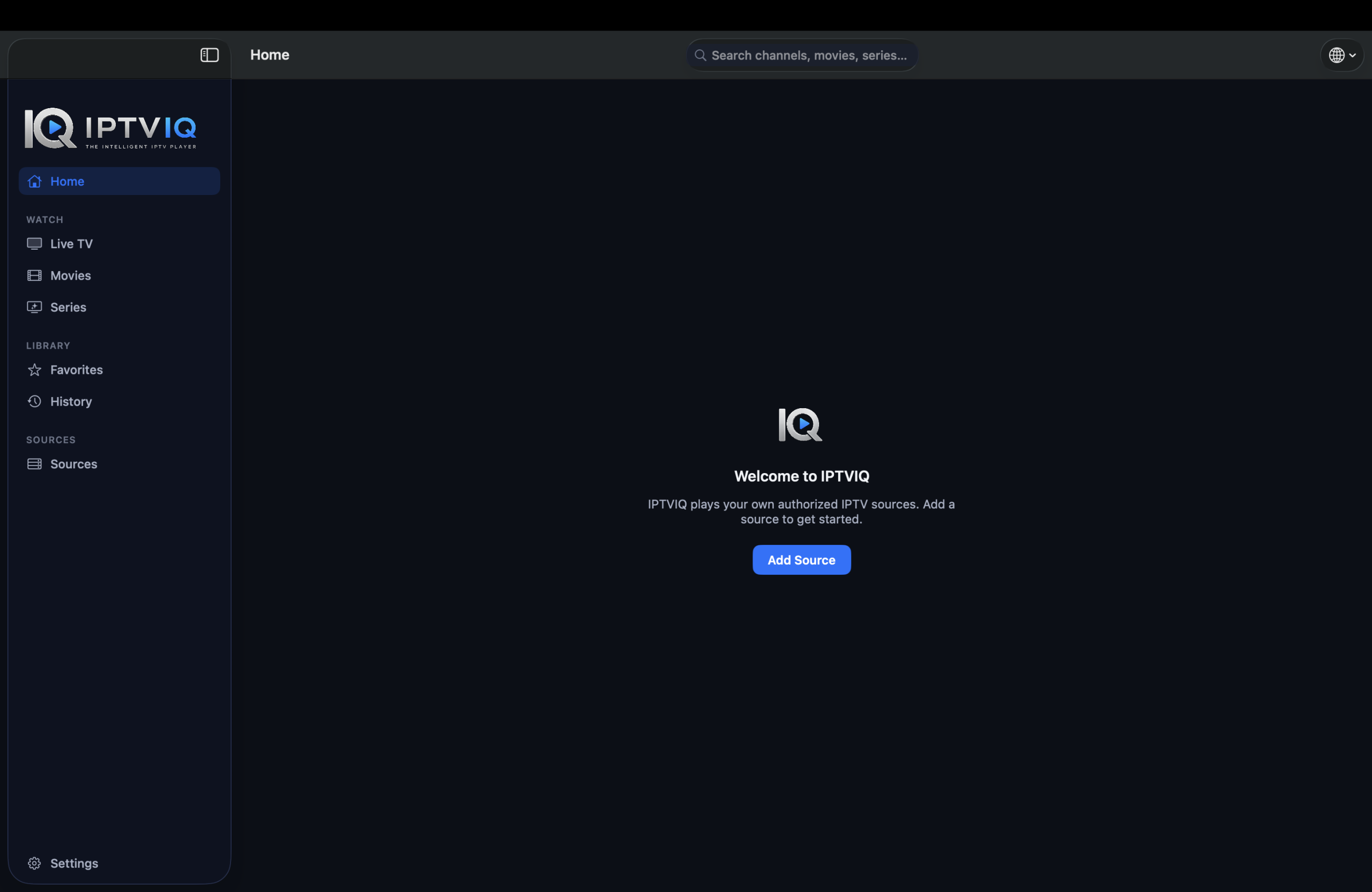
Instead of treating IPTV as a playlist, IPTVIQ approaches it more like a personal streaming platform.
Live TV, EPG, movies, series, DVR, Catch-Up, Multiview, Favorites, profiles and advanced source controls all become part of the same experience.
And importantly, IPTVIQ remains a player.
It does not provide IPTV subscriptions or its own catalog of channels and movies. Users connect compatible sources they already have permission to access.
IPTV Doesn’t Need Another Playlist Player
The classic IPTV workflow is familiar.
Import an M3U file.
Wait for the channel list.
Scroll.
Scroll some more.
Find a channel.
Press Play.
Technically, it works.
But compare that experience with modern streaming services and the difference becomes obvious.
Users now expect categories, search, viewing history, Continue Watching, profiles, favorites and clear separation between Live TV and on-demand content.
IPTVIQ attempts to bring those expectations into the IPTV environment.
The objective is not simply:
Can this stream play?
It is:
Can the entire IPTV library feel organized and easy to use?
Your IPTV Sources, One Environment
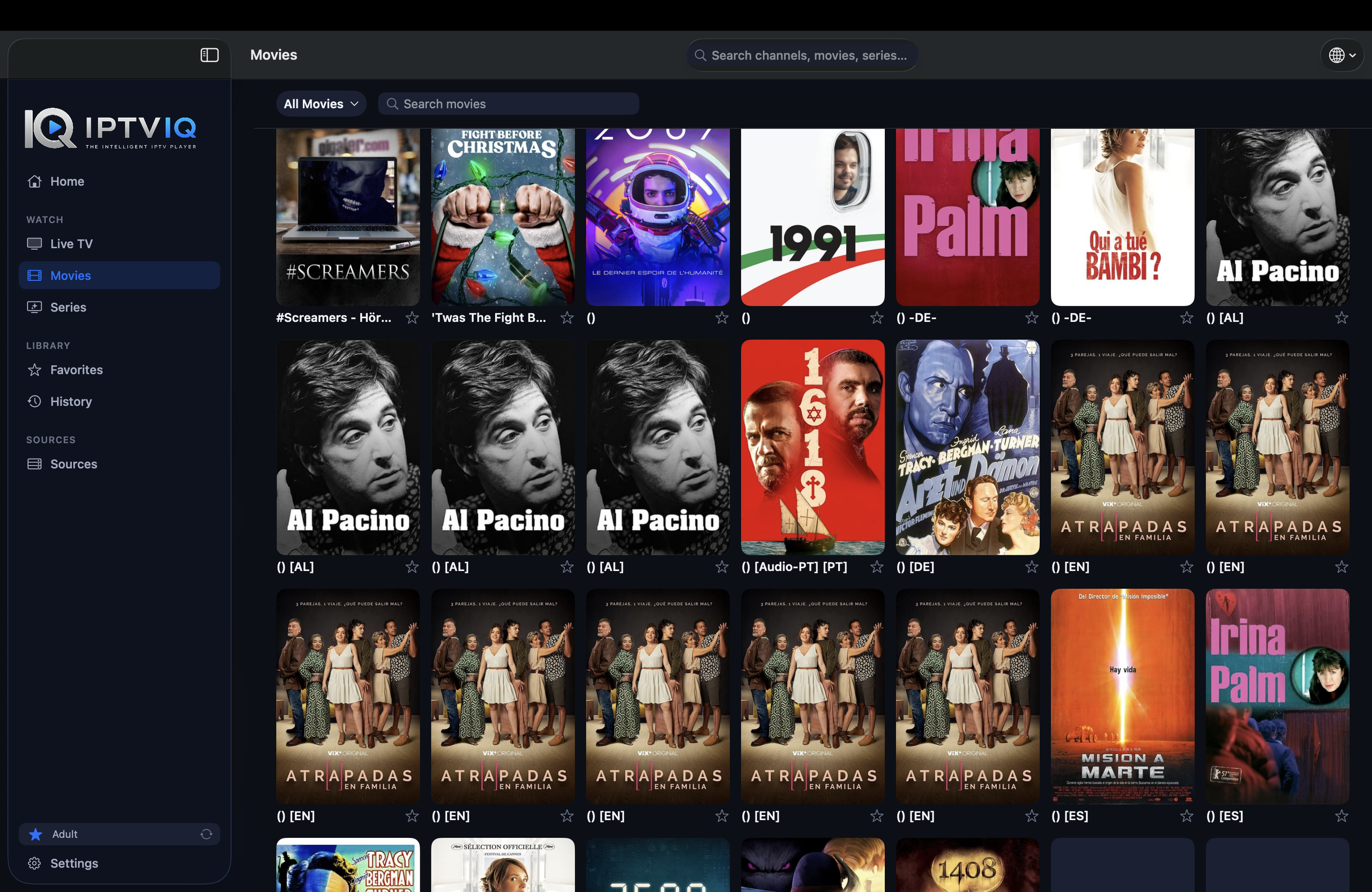
IPTV ecosystems are fragmented.
One provider may use Xtream Codes.
Another may supply an M3U playlist.
EPG information may arrive through XMLTV.
Other services may rely on Stalker, MAG or Ministra technologies.
IPTVIQ is designed to work across several of these commonly used source types, including:
- Xtream Codes
- M3U
- M3U8
- XMLTV
- Stalker
- MAG
- Ministra
Multiple compatible sources can also be configured.
That matters because a user’s media environment should not necessarily be dictated by how a provider packages its data.
The player should handle that complexity.
The viewer should simply see their content.
Live TV That Feels Like Television
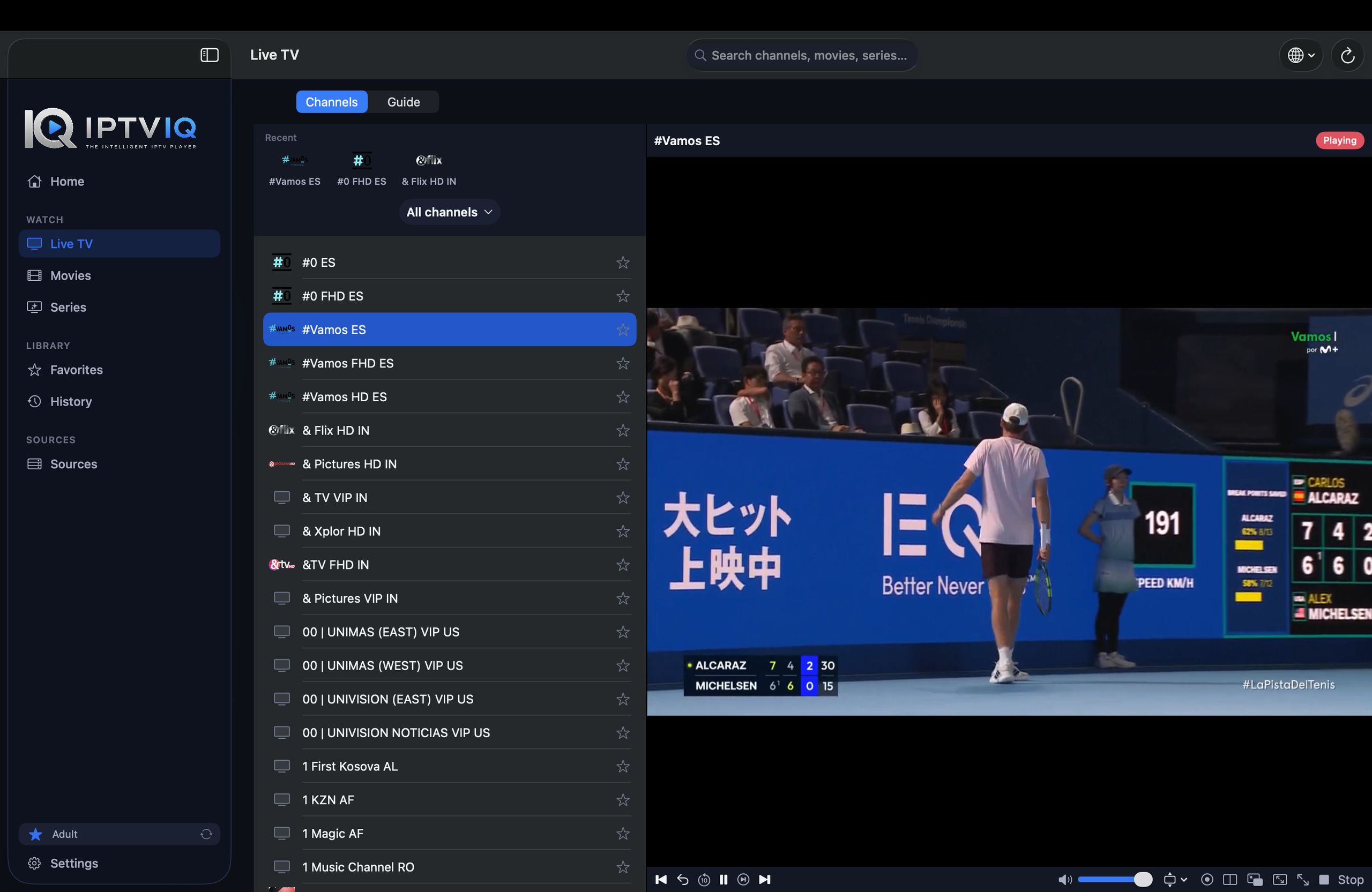
Live television has a different interaction model from movies and series.
People want to move quickly between channels, see what is playing now and understand what is coming next.
IPTVIQ therefore treats Live TV as its own experience.
Channels can be organized into categories, while EPG information adds programming context when appropriate guide data is available.
Instead of opening channels blindly, viewers can use the program guide to make faster decisions.
Mini-EPG functionality keeps relevant information accessible without unnecessarily taking users away from playback.
The result is much closer to a modern television interface than a raw IPTV playlist.
EPG Changes Everything
A channel name tells you where you are.
An Electronic Program Guide tells you why you might want to stay there.
That difference is significant.
When compatible EPG information is available, IPTVIQ can show current and upcoming programming alongside Live TV.
For large channel libraries, this turns navigation from trial-and-error into informed browsing.
Of course, an IPTV player cannot invent guide information.
EPG coverage and accuracy ultimately depend on the source data available to the application.
Live TV and VOD Should Not Feel the Same
A common mistake in basic IPTV applications is treating every piece of content as another item in a list.
But watching a live sports channel and browsing a movie library are fundamentally different activities.
IPTVIQ separates these experiences.
Live TV receives channel-oriented navigation.
Movies receive a visual on-demand environment.
Series can be organized around shows and episodes.
This seemingly simple decision makes the application feel much closer to a purpose-built streaming platform.
Stop at Minute 42. Come Back Tomorrow.
One of the smallest features can make one of the biggest differences.
Imagine starting a movie tonight.
After 42 minutes, you stop watching.
Tomorrow, you return.
A primitive IPTV player expects you to remember where you were.
A modern media experience remembers for you.
With playback progress and Continue Watching, supported content can retain its position so users can return without manually searching through the timeline.
For people watching multiple movies and series, this becomes essential.
Favorites Turn a Provider’s Library into Your Library
An IPTV provider might offer thousands of channels.
You probably do not care about thousands of channels.
You care about your channels.
Favorites allow viewers to create a personalized layer on top of the much larger IPTV catalog.
A sports fan can keep sports channels close.
Someone who primarily watches international news can build a completely different collection.
Another viewer may care mostly about entertainment.
The source stays the same.
The experience becomes personal.
One Household, Different Viewers
Personalization becomes more important when IPTV is shared.
IPTVIQ supports profiles so that different viewers can maintain separate experiences.
History does not necessarily need to be mixed.
Favorites do not necessarily need to be shared.
And children do not necessarily need access to the same library as adults.
This moves IPTVIQ away from the idea of a single-device utility and toward something closer to a household entertainment platform.
Kids Profiles Make IPTV More Manageable for Families
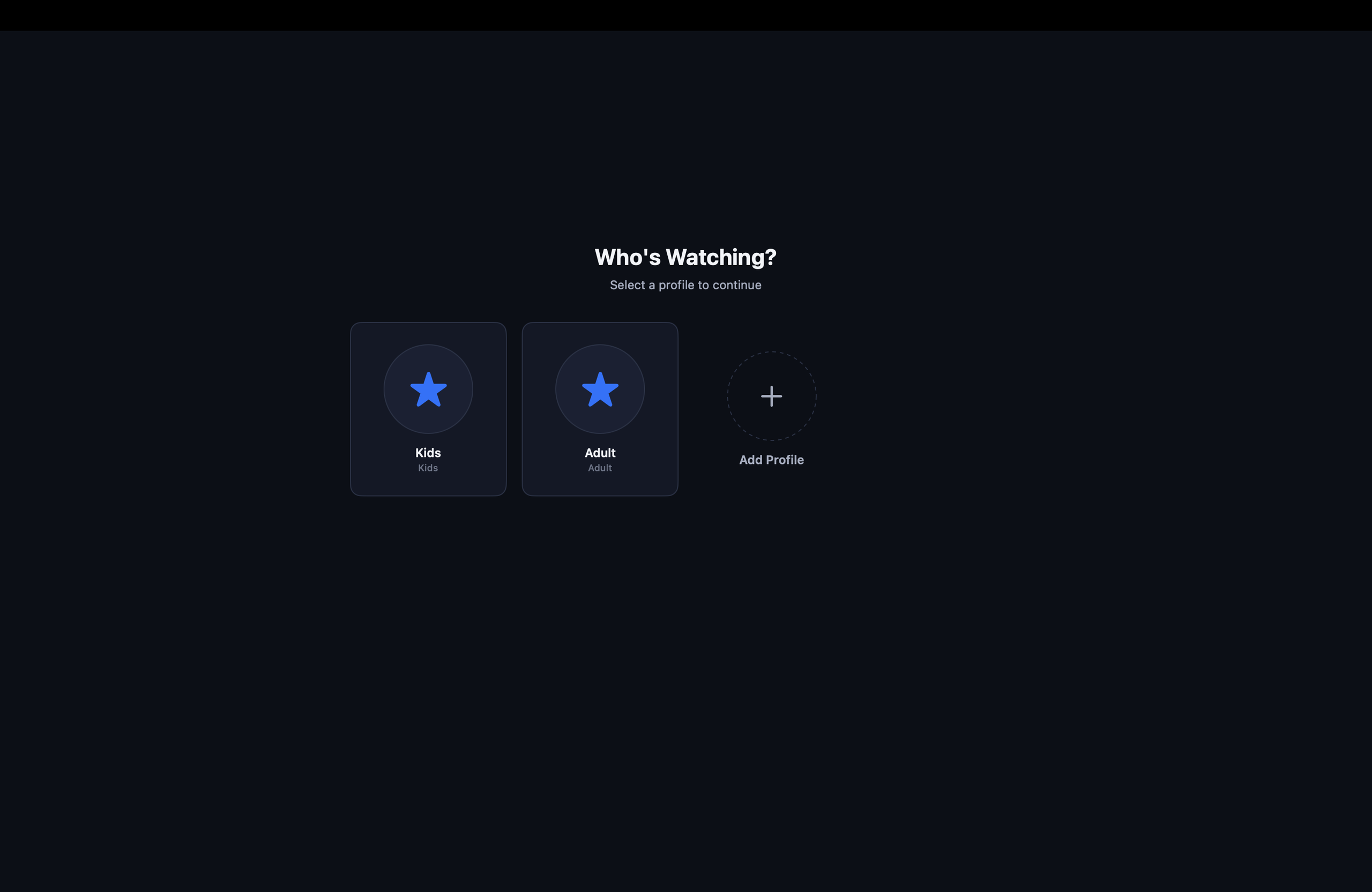
IPTV libraries can be enormous, and not everything available through a source is appropriate for children.
A Kids Profile provides a controlled viewing environment.
Parents can determine which content should be available or restricted for that profile.
Approved and blocked content can therefore become part of the profile itself rather than relying only on broad application-wide restrictions.
This becomes even more powerful when considering a future where the same child profile can exist across multiple devices.
Live Means Live — Until You Record It
Live television has one obvious limitation:
It happens whether you are watching or not.
DVR changes that.
IPTVIQ includes recording functionality for supported Live TV streams, allowing broadcasts to be saved locally for later playback.
Local storage is particularly appropriate for DVR.
A few bytes describing a Favorite channel are easy to synchronize.
A two-hour television recording is not.
Keeping DVR content local avoids unnecessarily turning synchronization infrastructure into cloud video storage.
Missed It? Catch-Up May Help
Some IPTV providers maintain archives of recently aired programs.
When a source supports Catch-Up, IPTVIQ can make those broadcasts accessible.
This gives users another option beyond recording content manually.
But the distinction matters:
IPTVIQ does not independently archive every channel.
Catch-Up availability depends on what the connected IPTV provider makes available.
The player exposes the functionality.
The provider supplies the archive.
Two Channels. One Screen.
There are moments when one live stream simply isn’t enough.
Two football matches may overlap.
Breaking news may be happening while another event is still live.
Two markets may need to be monitored simultaneously.
IPTVIQ’s Multiview functionality allows two supported streams to appear at the same time.
Instead of constantly switching channels, viewers can keep both visible.
It is one of those features that may seem specialized—until the exact moment you need it.
When a Stream Drops, Smart Recovery Steps In
Internet video is not perfect.
Connections fluctuate.
Provider servers can become unstable.
Streams occasionally stall.
Normally, the viewer notices the problem and manually reloads the channel.
IPTVIQ’s Smart Recovery is designed to reduce that friction.
When certain playback interruptions occur, the application can attempt to restore the stream automatically.
It is not magic and it cannot repair an unavailable IPTV provider.
What it can do is make temporary interruptions less disruptive.
Multiple Sources Deserve Multiple Network Rules
Power users often have more complicated setups.
One IPTV source may work perfectly through a direct connection.
Another may require a specific proxy configuration.
Applying one global rule to everything is unnecessarily restrictive.
IPTVIQ supports per-source network configuration with options including:
- Direct
- HTTP
- HTTPS
- SOCKS5
This allows Source A and Source B to behave differently without forcing either one to adopt the other’s networking requirements.
For advanced IPTV setups, that level of control matters.
Local-First Is More Than a Privacy Feature
There is another important idea behind the IPTVIQ architecture:
not everything needs to live in the cloud.
IPTV source information, viewing data, profiles and other application information can be managed locally.
Sensitive credentials can benefit from the security mechanisms available on macOS.
DVR recordings can stay on the device.
And most importantly, the IPTV video itself does not need to travel through an IPTVIQ server simply because the user is using the IPTVIQ application.
This creates a cleaner separation between the player and the provider.
The Next Step Isn’t More Features. It’s More Screens.
Once an IPTV environment works well on one device, the next question becomes obvious:
What happens when the user moves to another screen?
Imagine this workflow.
You configure your IPTV environment on your Mac.
You organize Favorites.
You create your profiles.
You configure a Kids Profile.
You begin a movie.
Then you walk into the living room.
Ideally, the experience should not reset just because the screen changed.
That is where a future synchronization layer becomes important.
Cloud Sync Should Remember You — Not Restream Your IPTV
Consider the movie example again.
You stop watching on your Mac at:
00:42:00
A synchronized environment could store that tiny piece of metadata.
Later, another supported device could display:
Continue Watching — Resume at 00:42:00
The movie itself does not need to be uploaded.
The IPTV stream does not need to be retransmitted.
Only the playback state needs to synchronize.
The same idea can apply to:
- Favorites
- Watch history
- Resume positions
- Profiles
- Kids Profile permissions
- Content blocklists
- Selected settings
- Relevant EPG mappings
This is the difference between syncing the experience and hosting the content.
Cloud Sync ≠ Cloud Streaming
This distinction deserves to be explicit.
A synchronized IPTVIQ ecosystem does not require this:
IPTV Provider → IPTVIQ Cloud → User
The video can continue traveling directly:
IPTV Provider → User’s Device
Synchronization happens independently:
Mac ↔ Sync Layer ↔ Other Supported Device
A Favorite might be only a small database record.
A resume position might simply be a content identifier and timestamp.
A profile is configuration data.
None of those things require the actual IPTV stream to pass through the synchronization server.
That separation is both technically cleaner and conceptually important.
What Should Stay Local?
Not everything benefits from synchronization.
DVR is a good example.
Imagine recording a two-hour 4K broadcast.
Synchronizing that recording automatically would introduce significant bandwidth, storage and infrastructure requirements.
There is no need to do that simply because the user’s Favorites are synchronized.
A sensible architecture separates the two:
Lightweight user metadata → Sync
Large video recordings → Local storage
This gives users continuity without unnecessarily moving massive media files between devices.
From IPTV Player to Personal Streaming Hub
This is ultimately where IPTVIQ becomes more interesting.
The first generation of IPTV applications answered a simple question:
How do we play IPTV?
The next generation needs to answer a bigger one:
How do we make IPTV feel like a modern streaming experience?
That requires more than codecs and playlists.
It requires organization.
It requires profiles.
It requires continuity.
It requires smart Live TV navigation.
It requires separating Movies from Series and both from Live TV.
And eventually, it requires allowing the experience to follow the viewer between screens.
IPTVIQ is being built around that broader idea.
Who Is IPTVIQ For?
IPTVIQ makes the most sense for users who already have legitimate access to compatible IPTV sources and want a more sophisticated way to use them on Mac.
It is particularly relevant for viewers who manage multiple sources, large channel libraries or substantial VOD catalogs.
Households can benefit from profiles and Kids controls.
Live TV users can benefit from EPG, DVR, Catch-Up and Multiview.
Power users can take advantage of independent source configuration and proxy options.
And users accustomed to mainstream streaming platforms may appreciate features such as Continue Watching, Favorites and personalized viewing environments.
What IPTVIQ Does Not Do
IPTVIQ does not provide IPTV subscriptions.
It does not sell television channels.
It does not supply movies or series.
It does not replace the IPTV provider.
Users connect their own compatible sources and are responsible for having the appropriate rights and authorization to access the content available through them.
IPTVIQ provides the player and the experience surrounding those sources.
That separation is fundamental to understanding the product.
Final Verdict: IPTV Is Growing Up
The most interesting thing about IPTVIQ is not any single feature.
It is the direction.
EPG makes Live TV more useful.
DVR gives users control over schedules.
Catch-Up provides access to supported past broadcasts.
Multiview changes how simultaneous events can be watched.
Profiles and Kids controls make IPTV more practical for households.
Continue Watching and Favorites introduce the personalization people already expect from modern streaming platforms.
Multiple source support and per-source proxy configuration provide flexibility for advanced users.
Smart Recovery reduces everyday playback friction.
Individually, these are useful features.
Together, they point toward something bigger:
an IPTV player that behaves less like a playlist utility and more like a personal streaming hub.
If future devices can share the same viewing state while streams remain direct between the IPTV provider and the user’s device, that concept becomes even more powerful.
The future of IPTV players may not be about adding another Play button.
It may be about finally making the entire experience around that button intelligent.